
Loading…
Sign in to take a test
Your results are saved to your TapChart account so each new test can be compared with your own history. TapChart doesn't ask for your camera until you reach camera setup.
Finger tapping test
- 1Instructions
- 2Camera setup
- 3Left hand
- 4Right hand
- 5Result
Before you start
You'll tap with one hand for 10 seconds, then the other: 20 seconds of tapping in total.
The movement
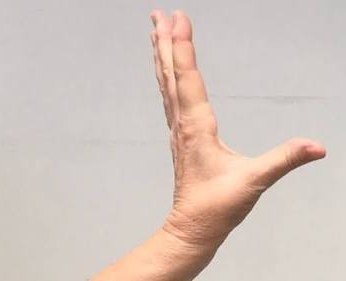
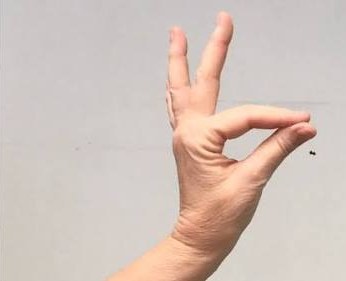
Tap the tip of your index finger against the tip of your thumb, then open them as wide as you comfortably can. Keep going, as fast and as wide as you can, for the whole 10 seconds.
- Sit at a table with light in front of you, not behind you.
- Prop your phone or laptop at chest height so it stays still.
- Turn your hand sideways so the camera can see the gap between thumb and finger.
- If your taps get slower or smaller, keep going. That is useful information.
Camera
Camera is off
● Recording
Camera is off.